The whole team in their pocket, no personal WhatsApp.
Yoseri Team brings together what an employee needs: team messages, their schedule, their pay and their documents. They only see what concerns them, and their phone only rings during their hours.
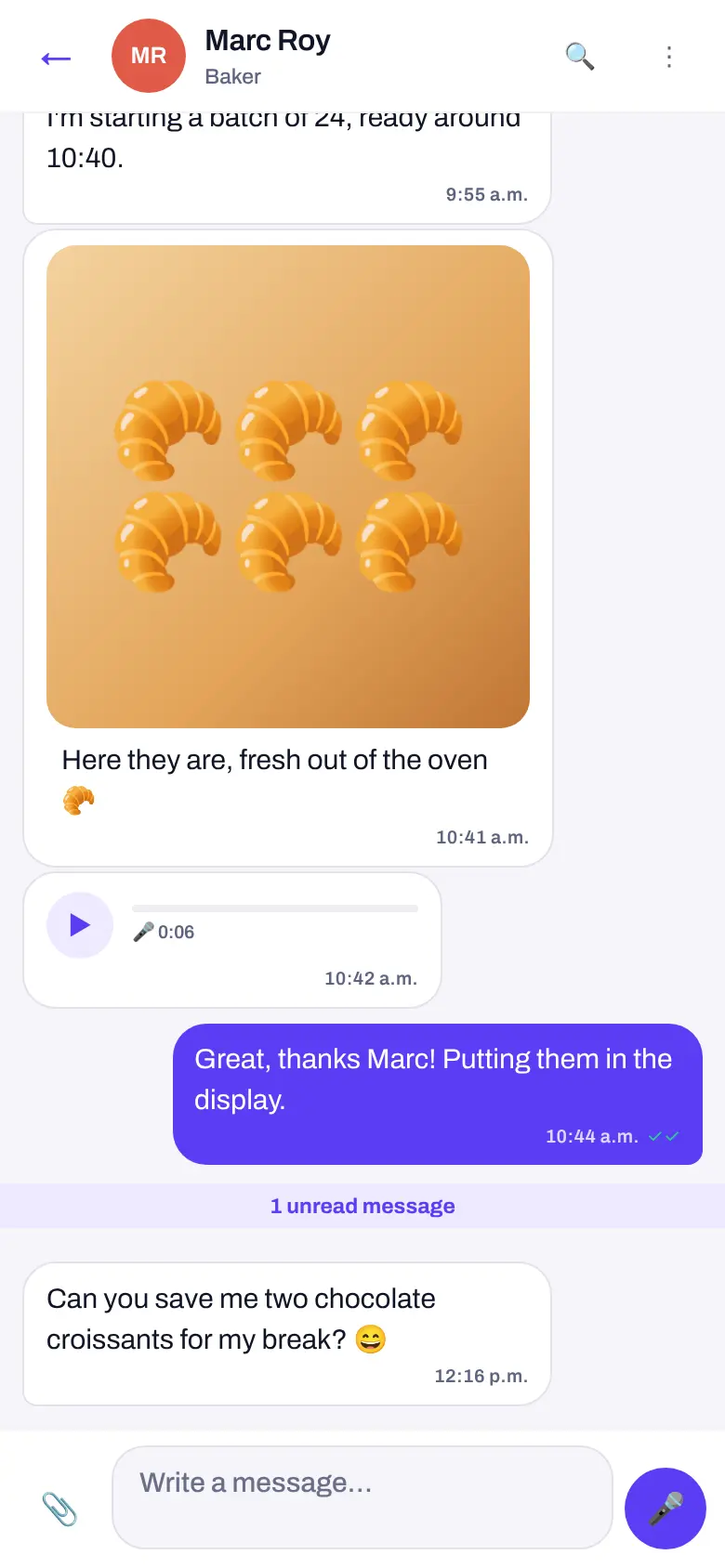
Production, shop and management, in the same conversation.
Company groups create themselves, from each person’s profile. A question asked in the morning gets its answer before opening.
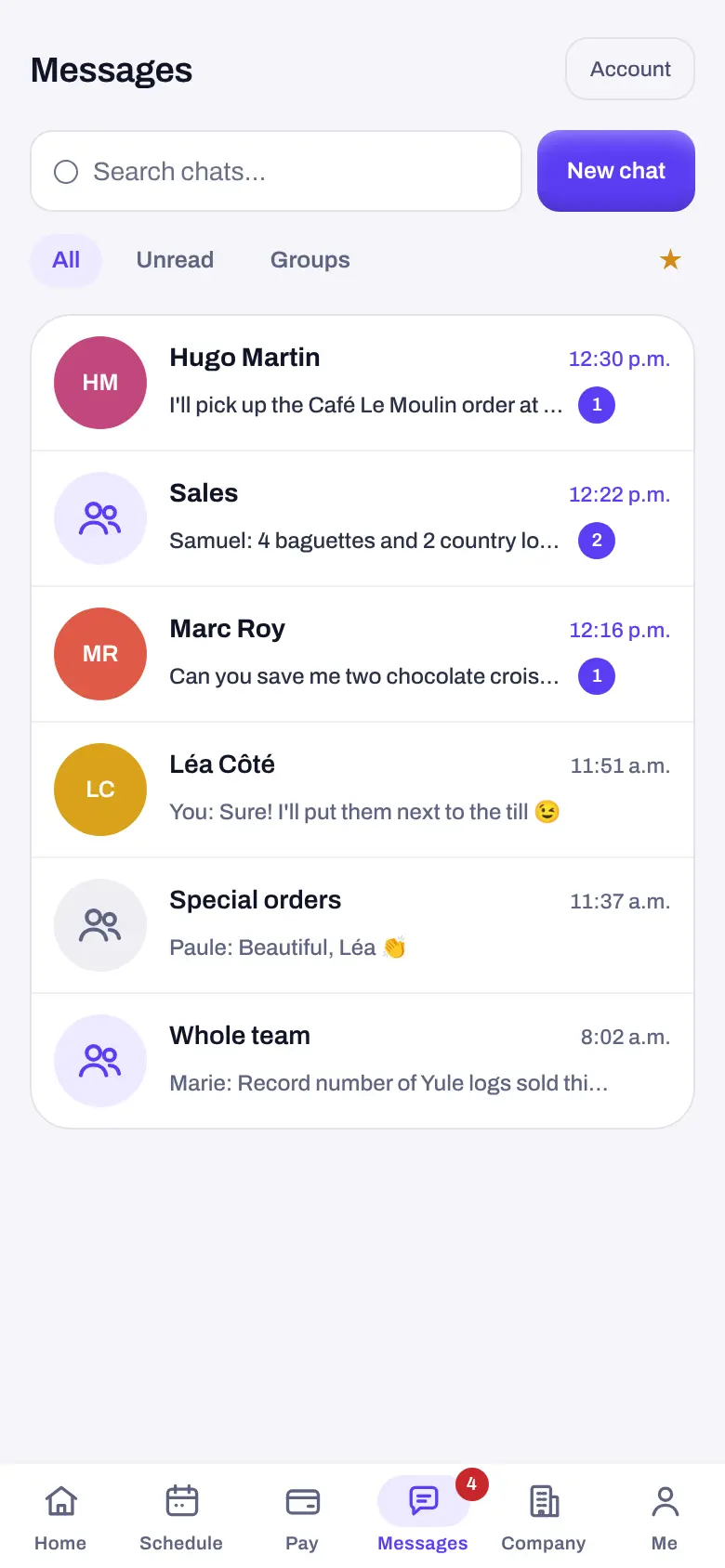
Like WhatsApp, but between colleagues.
Private chats and groups, in real time. Contacts are colleagues, each with their photo; nobody has to give out their personal number.
- The right groups, on their own: Whole team, Team leads, each department, each production section and each store. Someone working in both bread and pastry is in both groups.
- Everything you expect: photos, PDFs, voice messages, reactions, quoted replies, pinned message.
- Always in the loop: “… is typing” when a colleague types, ✓✓ when it is read.
- Someone leaves, and it is handled: an employee who leaves the company is removed from messaging automatically.
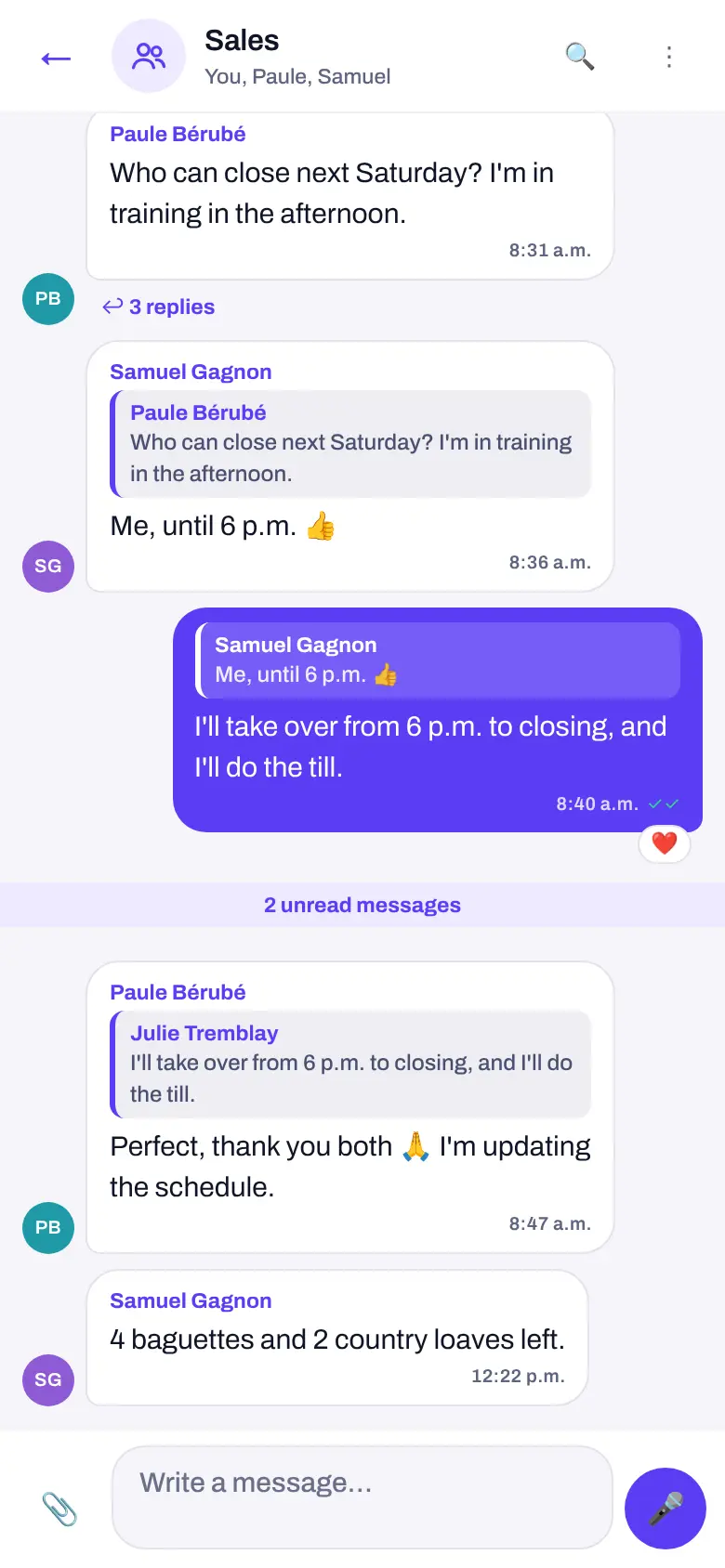
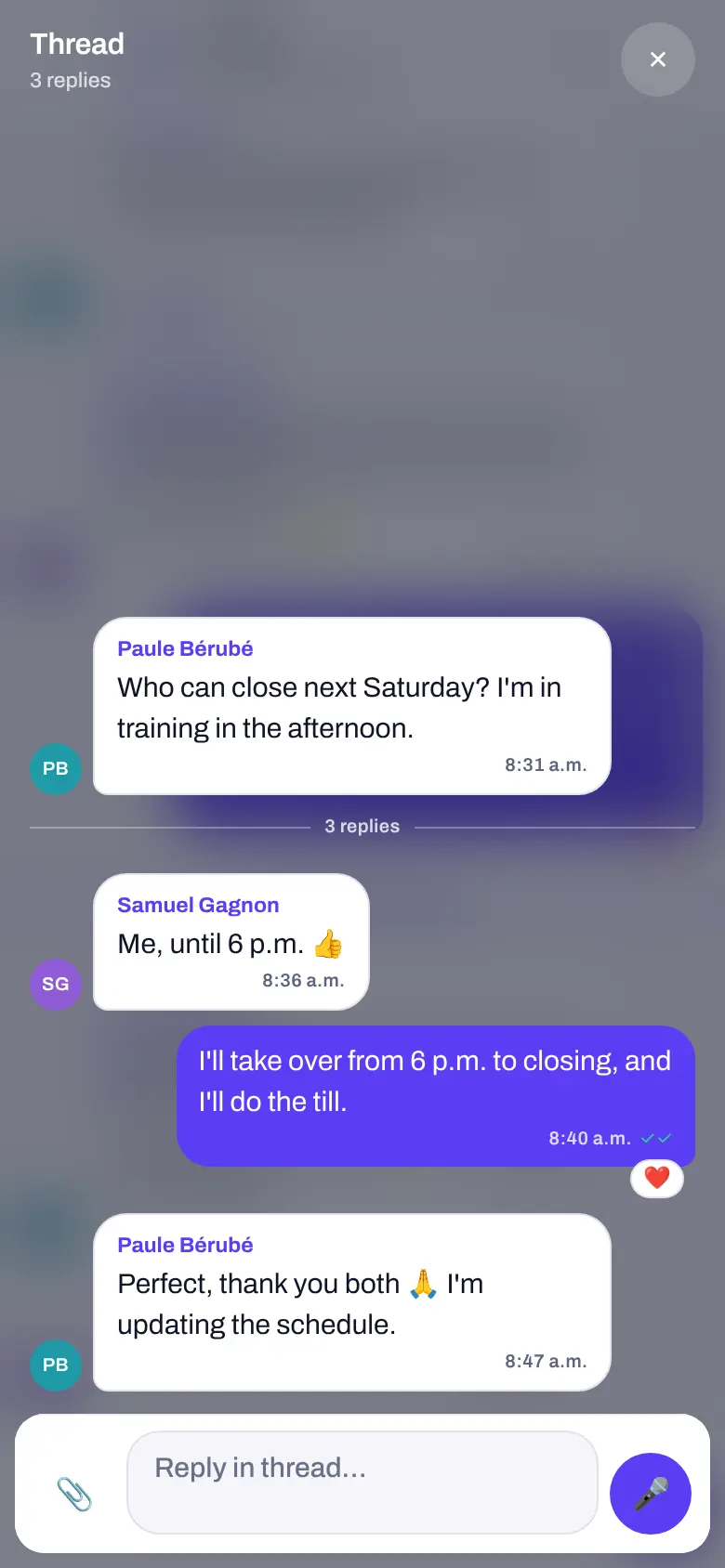
One question, all its replies, without losing the thread.
Under a message with replies, “↩ 3 replies” opens the thread: the chat fades away, leaving only the question and its answers. Reply right there.
- The group stays readable: the question about Saturday’s closing does not bury the day’s messages.
- Nothing gets lost: each reply also shows up in the chat, with the message it quotes.
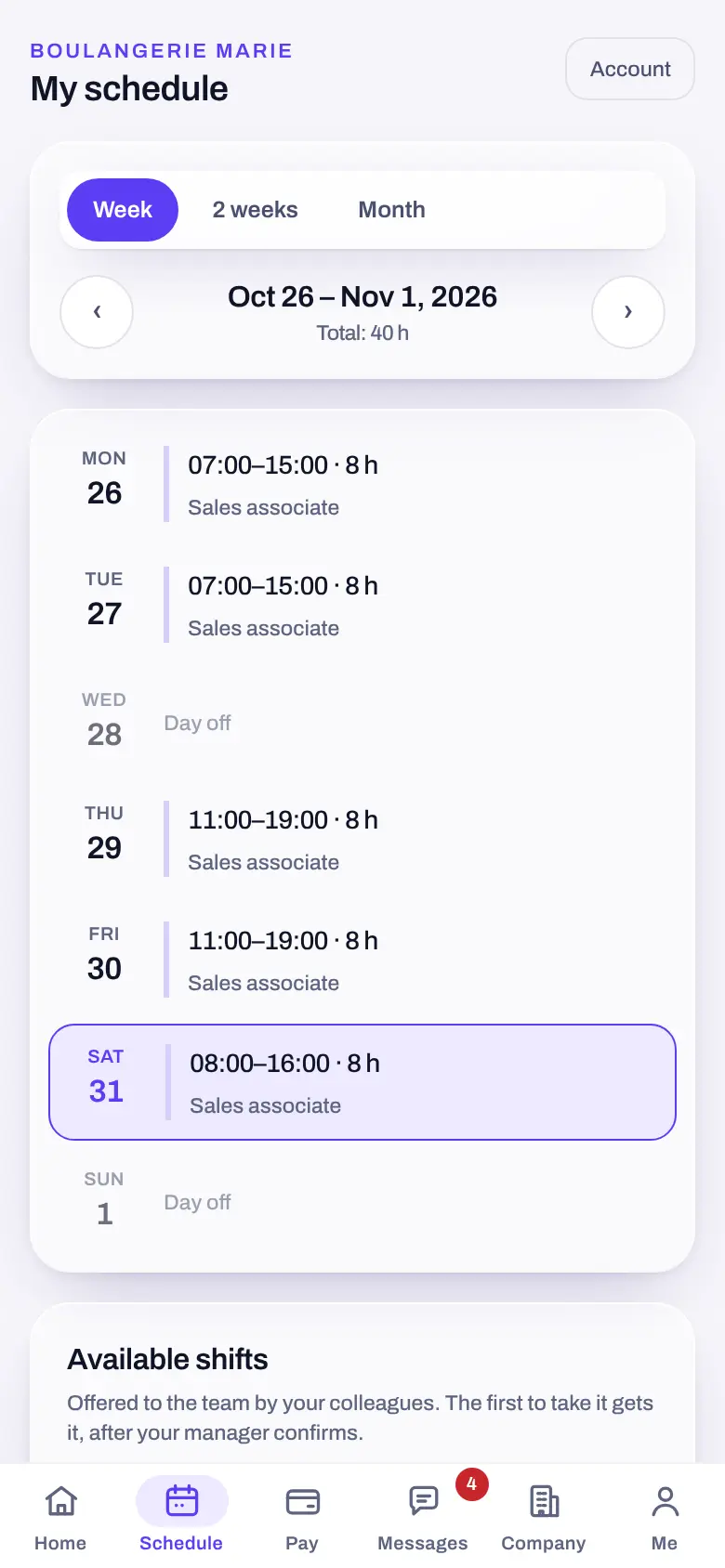
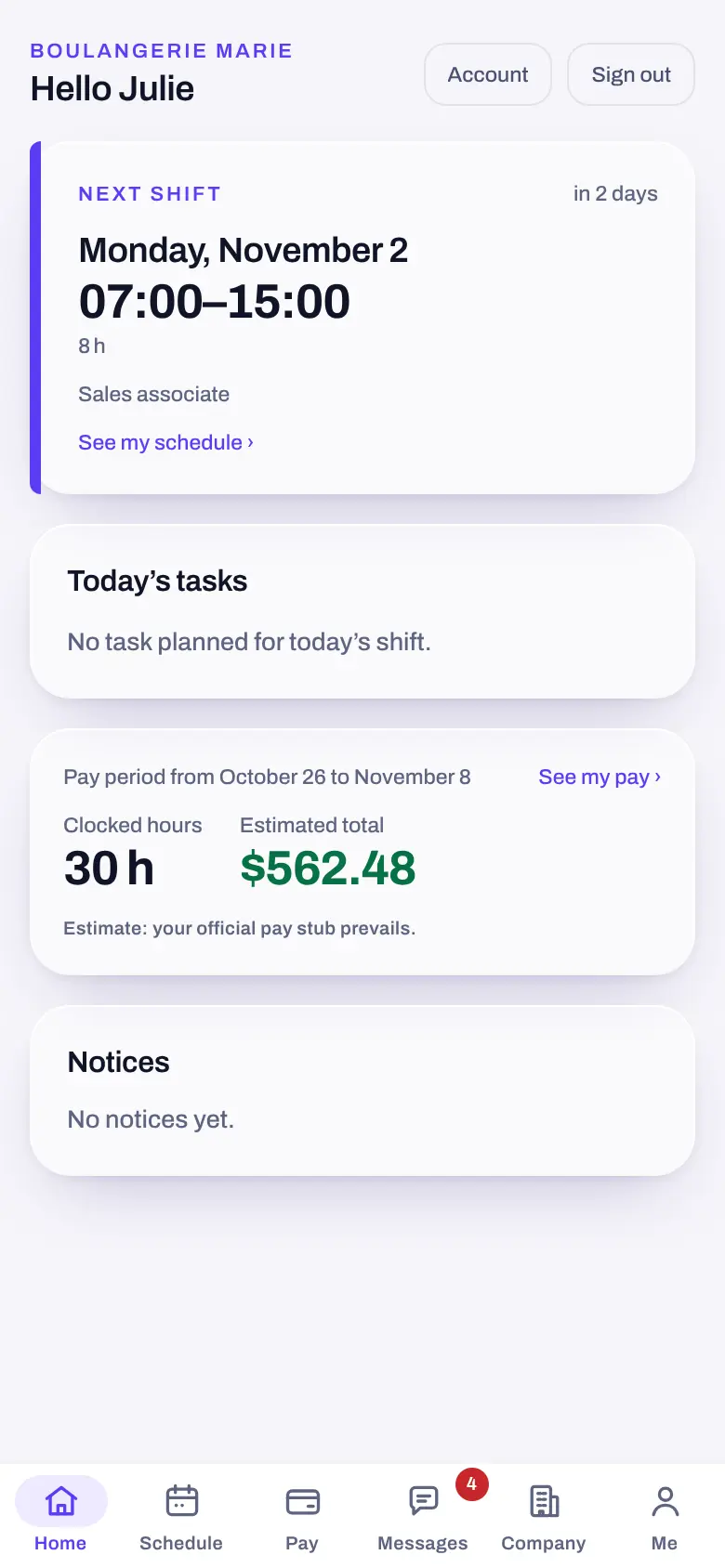
Their next shift and their pay, without asking you.
As soon as they open the app, employees see their next shift, the hours clocked this period and their estimated pay. The published schedule reads by week or by month.
- Fewer questions about pay: estimated net pay, approved tips and pay stubs, in one place.
- Shift swaps settled between them: they offer it to a colleague, the team lead approves.
- Their leave requests: filed from the app, decided by the team lead.
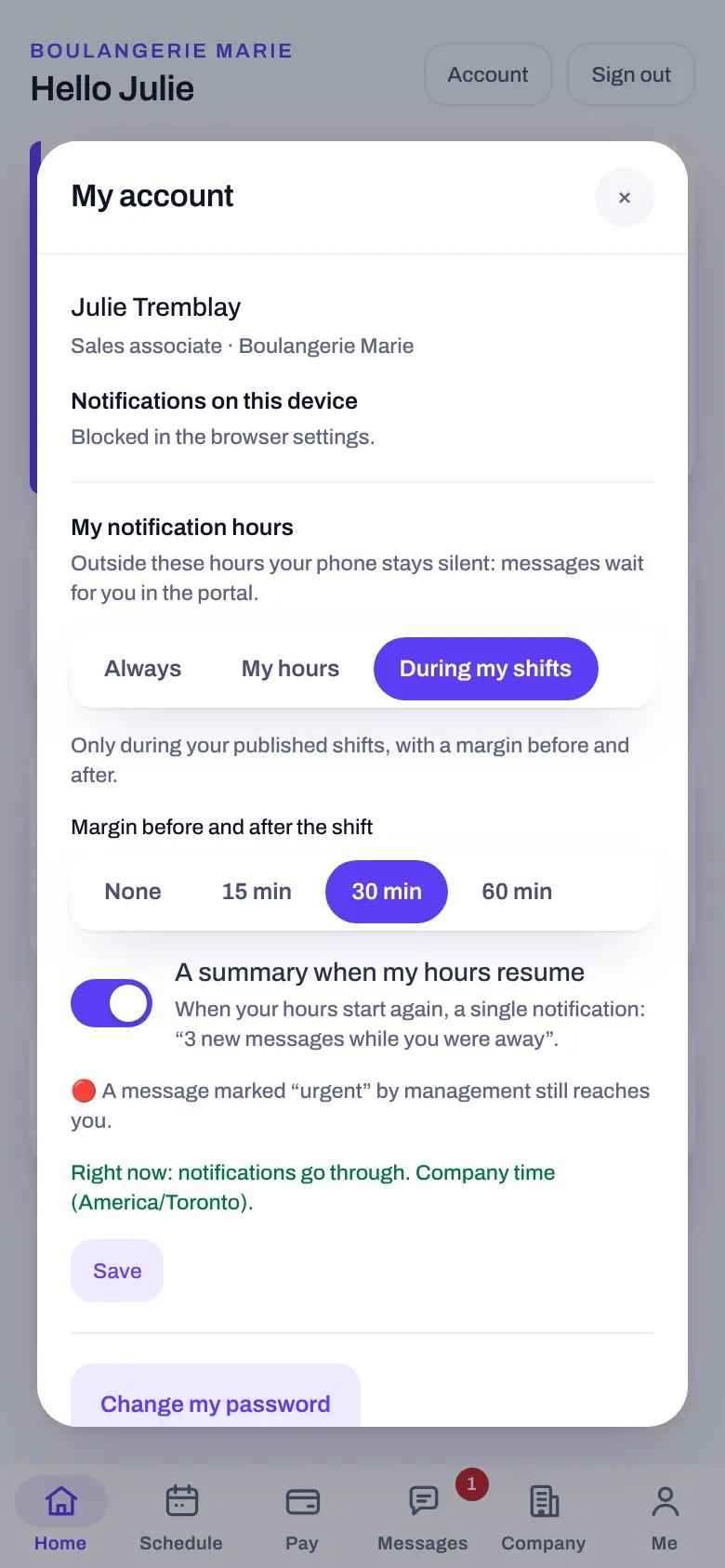
Silence after work.
Each employee chooses when their phone rings. Outside their hours, messages wait for them in the app, silently.
- Three simple settings: always, on their hours (days and a time range, even overnight), or only during their published shifts, with a margin before and after.
- A summary when they are back: a single notification when their hours resume, instead of twenty.
- Urgent still gets through: a message marked “urgent” by management, from the console, reaches everyone.
Private stays private, even from management.
Management reads no conversations. Only a message an employee reports themselves reaches them, and only that excerpt. Employees, for their part, see neither the till, nor the figures, nor anyone else’s pay.
You invite them
From the console, with their email. They choose their password.
They open the app
On their phone, or on staff.yoseri.com until the stores.
They find their team
Their groups are already waiting: their department, their section, their store.
Questions about the Yoseri Team app
How much does the app cost per employee?
The app itself is free. With a pack or the suite, each person on the schedule in the month costs $5.99; opening their space to read a pay stub or message the team does not count. A seasonal worker out of season costs nothing.
Can management read the conversations?
No. Private chats and groups stay between their members. Only a message an employee reports themselves reaches management, and only that excerpt. Management writes from the console, like any team member.
What happens outside the employee’s hours?
Their phone stays silent: messages wait for them in the app. When their hours resume, they get a single summary (“3 new messages while you were away”), if they want it. A message marked “urgent” by management still reaches them.
Is there anything to install?
The app is coming to the App Store and Google Play, for phones and tablets. In the meantime, everything already works on staff.yoseri.com, in the phone’s browser, with nothing to install.
Which languages?
French, English and Spanish. Each employee picks their own; the names of the company groups follow their language.
Invite the team. Everyone gets their app.
Sign-ups open soon: join the waitlist to be the first to know the date.