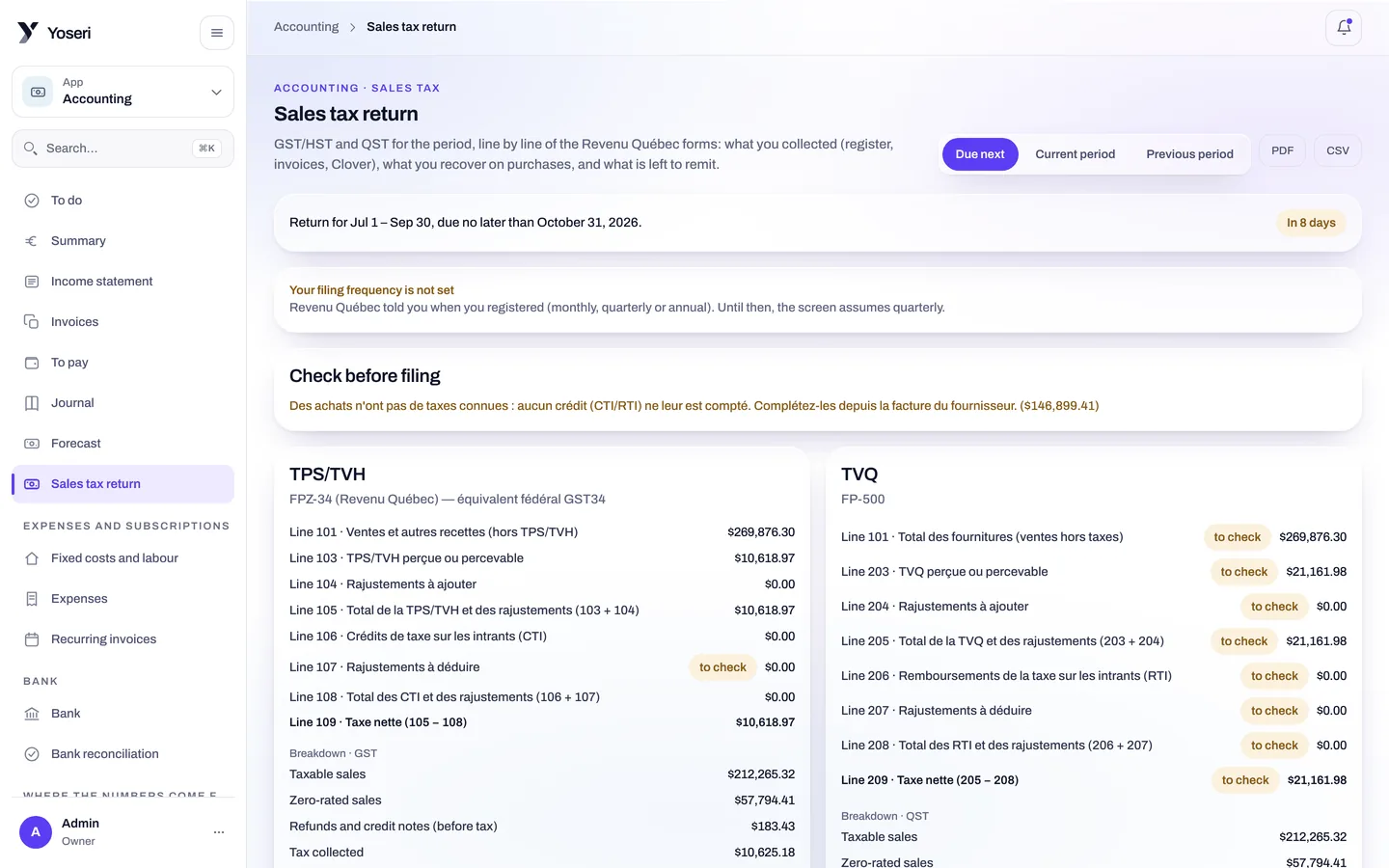
GST and QST, line by line.
Point-of-sale sales, invoices and purchases fall into the quarter’s return, per component, following the Revenu Québec forms. The rest follows: invoices, to pay, bank, forecast, export for the accountant.
Invoices and recurring
One invoice, or one that comes back every month. Payable by link, the money lands in your Stripe Connect account.
Income statement
Revenue and expenses for the period, with no spreadsheet on the side.
To pay
Supplier invoices, matched against the order and the receipt, wait for payment here.
Journal and chart of accounts
Every entry to its account. The CSV or PDF accounting export follows the chart.
The Revenu Québec forms, filled in by your sales.
GST/HST and QST, line by line, the way Revenu Québec asks for them. The quick method and small supplier status are taken into account. Taxes come from every ticket, per component, following the shop’s tax profile.
- External point of sale: sales from a Clover are read with their taxes per component and tips per employee.
- Chart of accounts and accounting export as CSV or PDF, for the accountant or the software they already use.
- Tax profiles per shop: jurisdictions, categories, components, set in Settings.
GST / HST
Collected and paid, per line of the form.
QST
Collected and paid, per line of the form, alongside.
Quick method
If you are eligible, the calculation follows it.
Small supplier
The status is taken into account in the return.
Plaid or statement import, then reconciliation.
Connect your bank in one click through Plaid, or import your statements. Each bank line is reconciled with an invoice, a point-of-sale taking or an expense claim. What does not reconcile stays visible.
- Expense claims: the employee asks, someone else approves, never the person asking.
- One-click connections from Settings: Stripe Connect for takings, the bank for statements. No secret key to copy.
Six months ahead, with labour from the schedule.
The fixed costs you record, plus the cost of hours planned in the published schedule. The forecast does not depend on last month’s typing: it reads what is already in the console.
- Fixed costs rent, insurance, subscriptions, set once.
- Labour taken from the schedule, before payroll is even done.
- Income statement for the period, to set against the forecast.
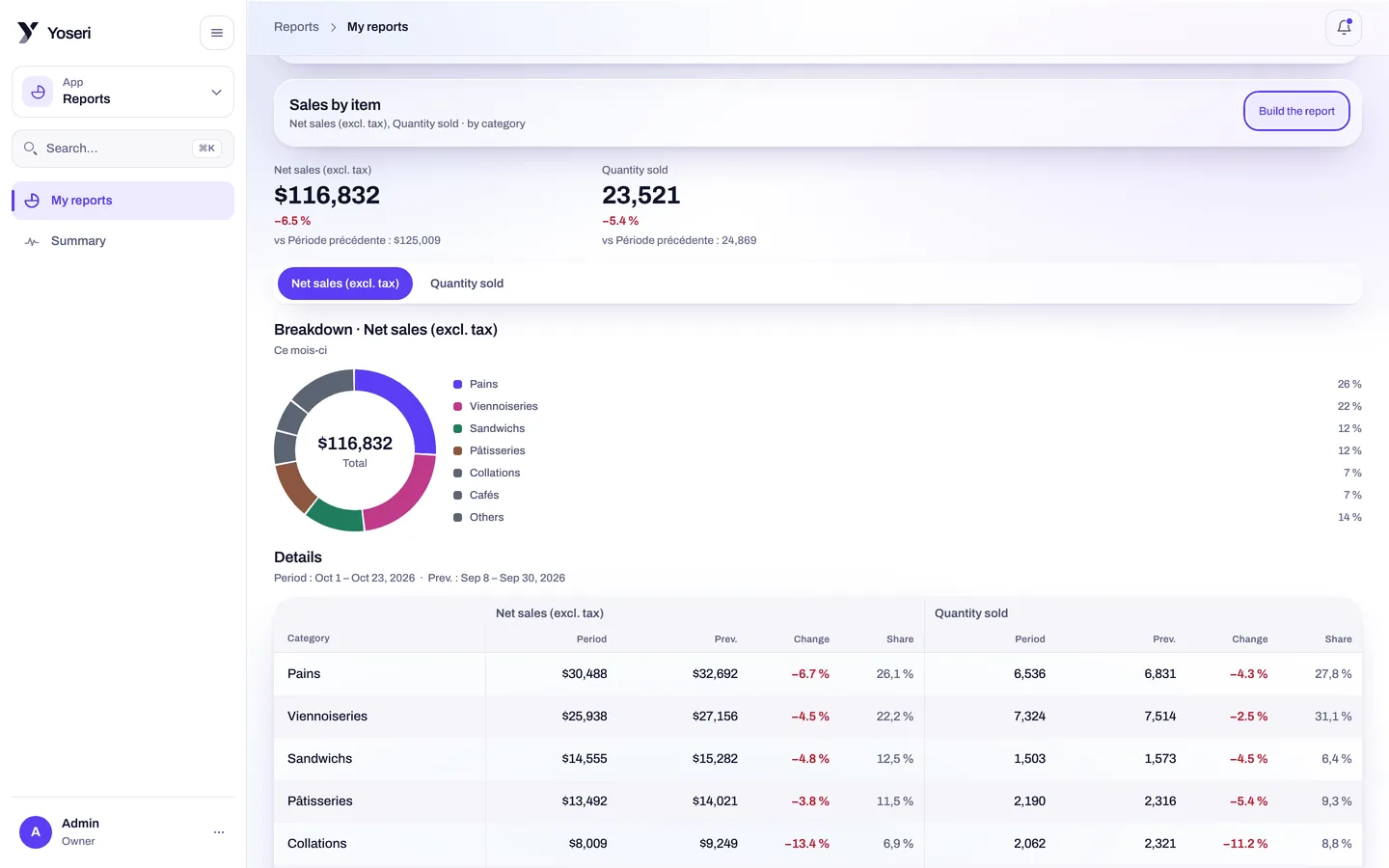
Figures are masked, not refused.
The “see figures” capability is checked by the server. Without it, the accounting screens open, but the amounts are absent from them, not reset to zero.
See figures
Revenue, costs, margins, budgets, amounts on purchase orders and invoices. The owner always has it; an Accountant or Analyst role receives it.
Export
Every route that returns a CSV or a PDF requires it: accounting export, return, journal.
Approve requests
To approve or refuse an expense claim. Never your own.
Questions about accounting
Does the GST/QST return replace my accountant?
No, it prepares their work. The lines follow the Revenu Québec forms, GST/HST and QST, with the quick method and small supplier status if that is your case. The accounting export, as CSV or PDF, then goes to your accountant with the chart of accounts.
How is the bank connected?
Through Plaid, in one click from the settings, or by importing statements. Bank lines are then reconciled with invoices, point-of-sale takings and expense claims.
Where do the forecast’s expenses come from?
From the fixed costs you record, and from labour taken from the published schedule: the six-month forecast does not wait for payroll to know the cost of planned hours.
What if I already have a Clover point of sale?
Accounting reads sales from an external point of sale such as Clover: taxes per component and tips per employee go into the return and into pay, with nothing retyped. The production suggestion, however, does not read those sales per product.
Your next return, prepared by your sales.
Tax numbers, bank connected, first invoices. Thirty days of trial, no card.