The month’s summary, compared with the last, arrived on its own.
Revenue, sales per shop, top products, invoiced or collected, losses by reason, hours: every figure for the period set against the previous one. As PDF, CSV or Excel, emailed to whoever needs to read it.
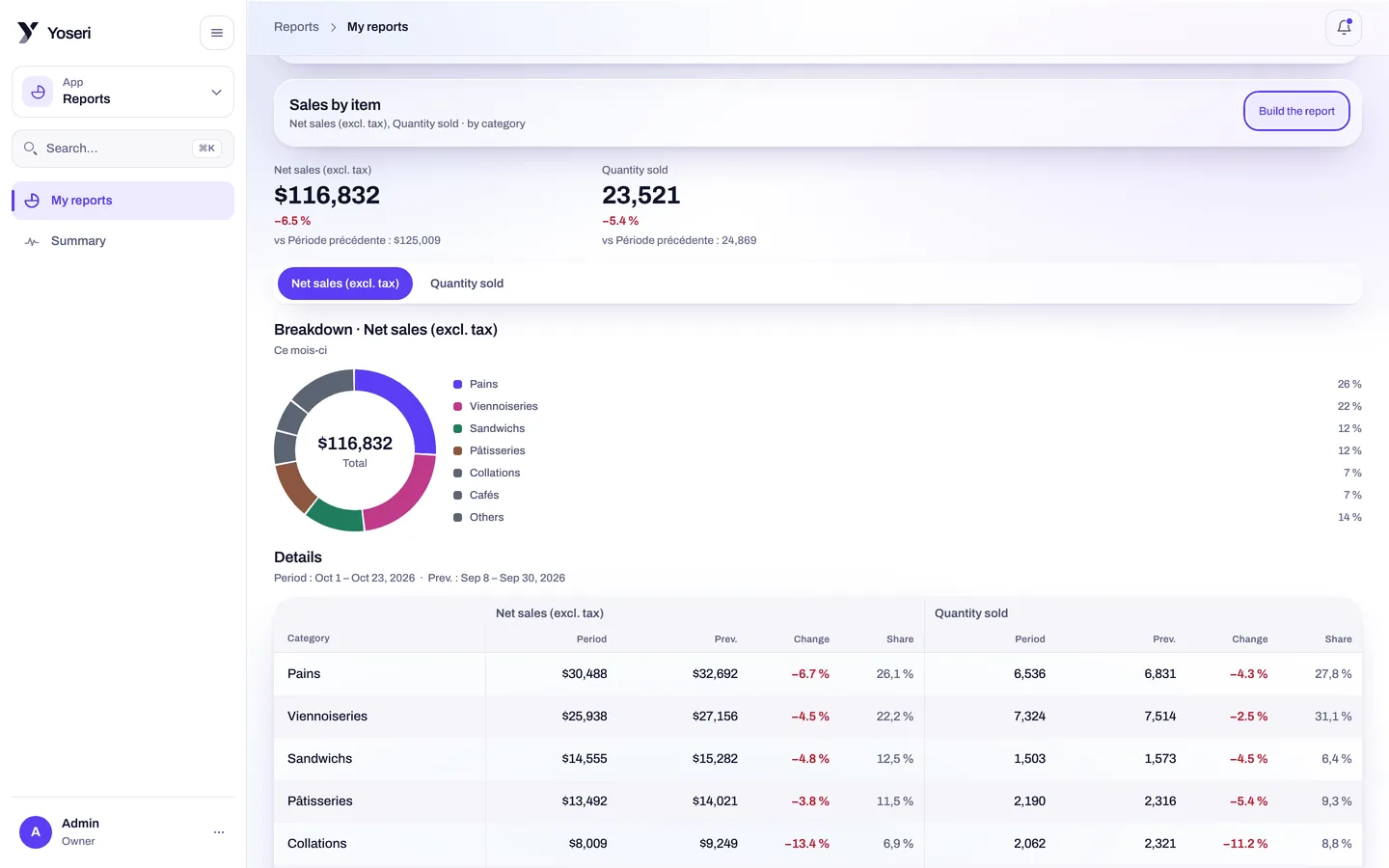
Revenue and shops
The period’s total, then shop by shop, each against the previous period.
Top products
What sells most, by quantity and by value, to adjust production and orders.
Invoiced or collected
What you have invoiced, and what has actually come in. Both, separately.
Losses by reason and hours
Losses by their reason, hours clocked in the period, next to sales.
A figure on its own says nothing. Against the previous one, it does.
Each summary takes a period and sets it against the one before. Revenue, sales per shop, basket, losses, hours: the change appears next to each line, with no spreadsheet.
- Sales per shop to compare two addresses over the same period.
- Losses by reason: unsold goods, breakage, returns, donations. The reason comes from the declaration at the station or in the console.
- Hours taken from clock-ins, to read sales per hour worked.
The period
Day, week, month, quarter, or your own dates. Always against the previous one.
The shop
All of them, or just one. A manager limited to their shops only sees theirs.
The product
The best sellers, and the ones that end up as losses.
Invoiced, collected
Two columns, so an invoice sent and a payment received are never confused.
The pivot table you put together, sent when you want.
Choose the rows, the columns, the period and the shop. The report gives the breakdown in percentages and the weighted average cost of items. It exports as PDF, CSV or Excel, and goes out by email at the chosen frequency.
- External point-of-sale sales such as Clover, read with the rest.
- Weighted average cost of each item, calculated on receipts and their cost prices.
- Breakdown in % per shop, per category, per payment method.
Three settings, then the report arrives on its own.
A scheduled report goes out by email, without anyone opening the console that day.
The period
The past month, the past week, or fixed dates. The previous period is set against it automatically.
The content
The standard summary, or a pivot table you have put together. The format: PDF, CSV or Excel.
The recipients
The owner, the accountant, a manager. Each receives what their capability lets them see.
Entered once, by the person who produces them.
From the point of sale
Every ticket is recomputed by the server, every Z close is chained. The sales in the reports are those.
See the point of saleFrom inventory
Losses by reason, receipts and cost prices: the weighted average cost follows from them.
See inventoryFrom scheduling
Hours clocked on the tablet with a PIN, set against the sales of the same period.
See schedulingQuestions about reports
What does a period summary contain?
Revenue, sales per shop, best-selling products, invoiced or collected, losses by reason and hours worked. Each figure is set against the previous period: the month against the month before, the week against the week before.
Can I receive a report without opening the console?
Yes. A custom report is sent by email, as PDF, CSV or Excel, at the frequency you choose. The owner receives the month’s summary, the accountant their export, the manager the sales of their shop.
What is a custom report?
A pivot table you put together: the rows, the columns, the period, the shop. It gives the breakdown in percentages and the weighted average cost of items, and also reads sales from an external point of sale such as Clover.
Who can export?
Anyone with the “export” capability, checked by the server: it protects every route that returns a CSV or a PDF. Seeing amounts requires “see figures”; everyone’s hours and pay, “see pay”. An Analyst or Read-only role is set accordingly.
Your first compared summary, next month.
One month of sales in the console, and the report arrives by email. Thirty days of trial, no card.